



UI/UX Design Proposal for Increasing Conversion Rate of Noise ColorFit Pro 5

Problem
The current conversion rate for one of Noise products, ColorFit Pro 5, is 0.5%, and the target is to increase it to 1%. As a UI/UX designer, my task is to propose changes to the Product Detail Page (PDP) and revise the collection page card layout for the website to improve the conversion rate from a UI/UX perspective.
Part 1: Product Detail Page (PDP) Enhancement:
Visual Design:
Simplify Navigation:
Clear Call-to-Action (CTA):
Detailed Product Information:
User Reviews and Ratings:
Responsive Design:
Part 2: Collection Page Card Layout Revision:
Smartwatch Name
Price
Unique Selling Proposition (USP)
Rating
Visual Hierarchy
Card Design Elements
Hover Effects
Current UI
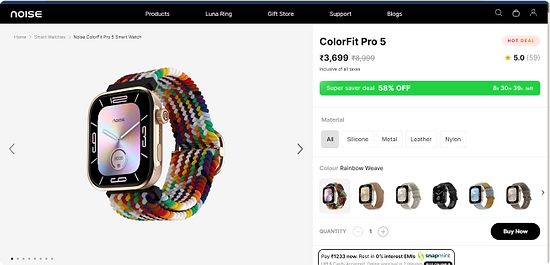

Current Product Design Lacks Certain Features.
The current product collection card layout is missing several key features that are essential for a seamless user experience. Additionally, the product details page requires enhancements to improve user interaction. This can be achieved through the implementation of clear and precise buttons and engaging animations, making the navigation intuitive and visually appealing.
Missing Features:
Product Detail Page (PDP) Enhancement:
-
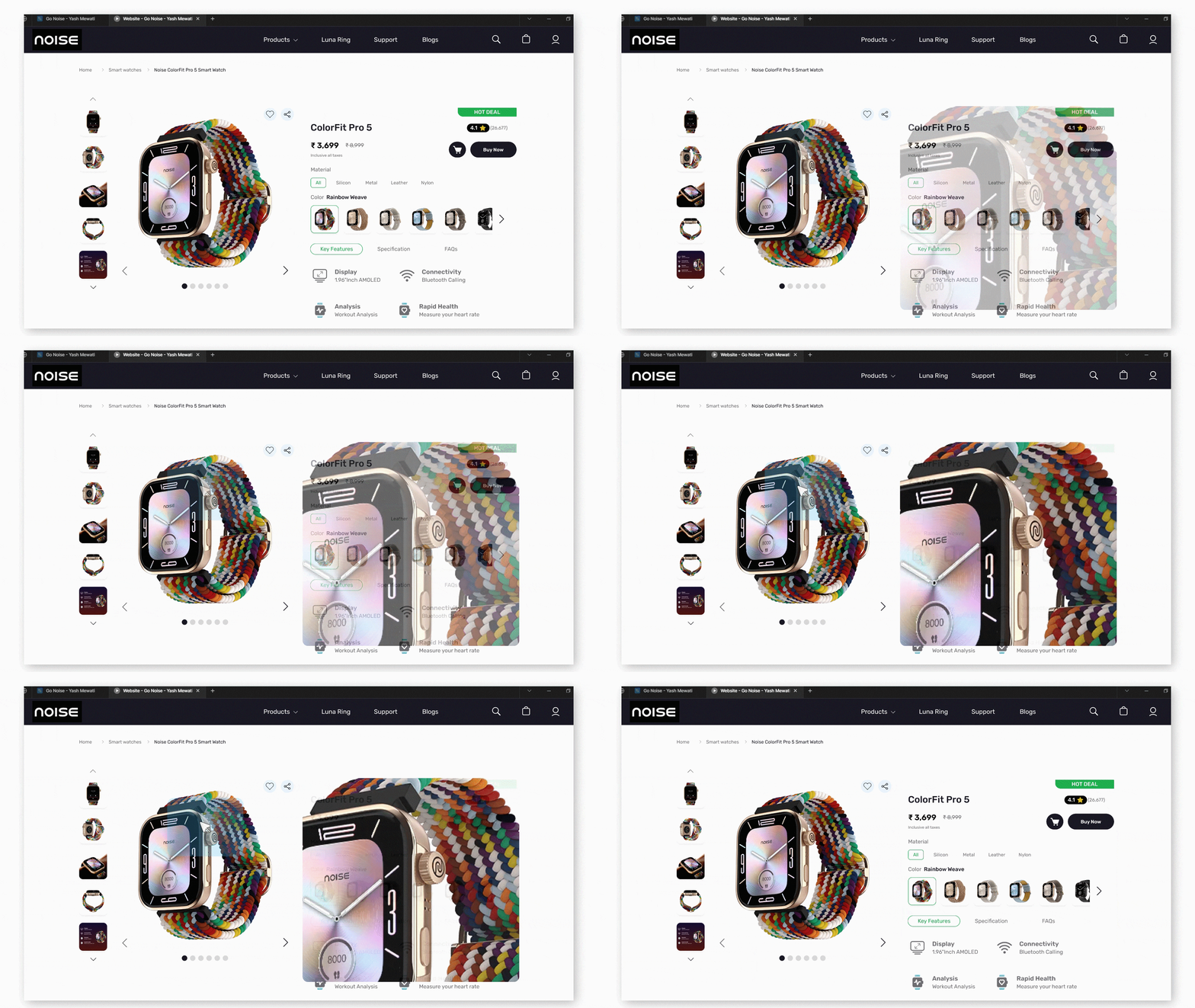
Product image hover zoom: Enabling users to zoom in on product images for a closer inspection.
-
Next product image small visual: Providing a visual cue for users to easily navigate through different product images.
-
Scroll Animation: Scroll animations enhance the viewing experience and engage users by drawing their attention to products as they navigate through the site.
-
Button hover effect: Implementing interactive hover effects on buttons to enhance user engagement.
-
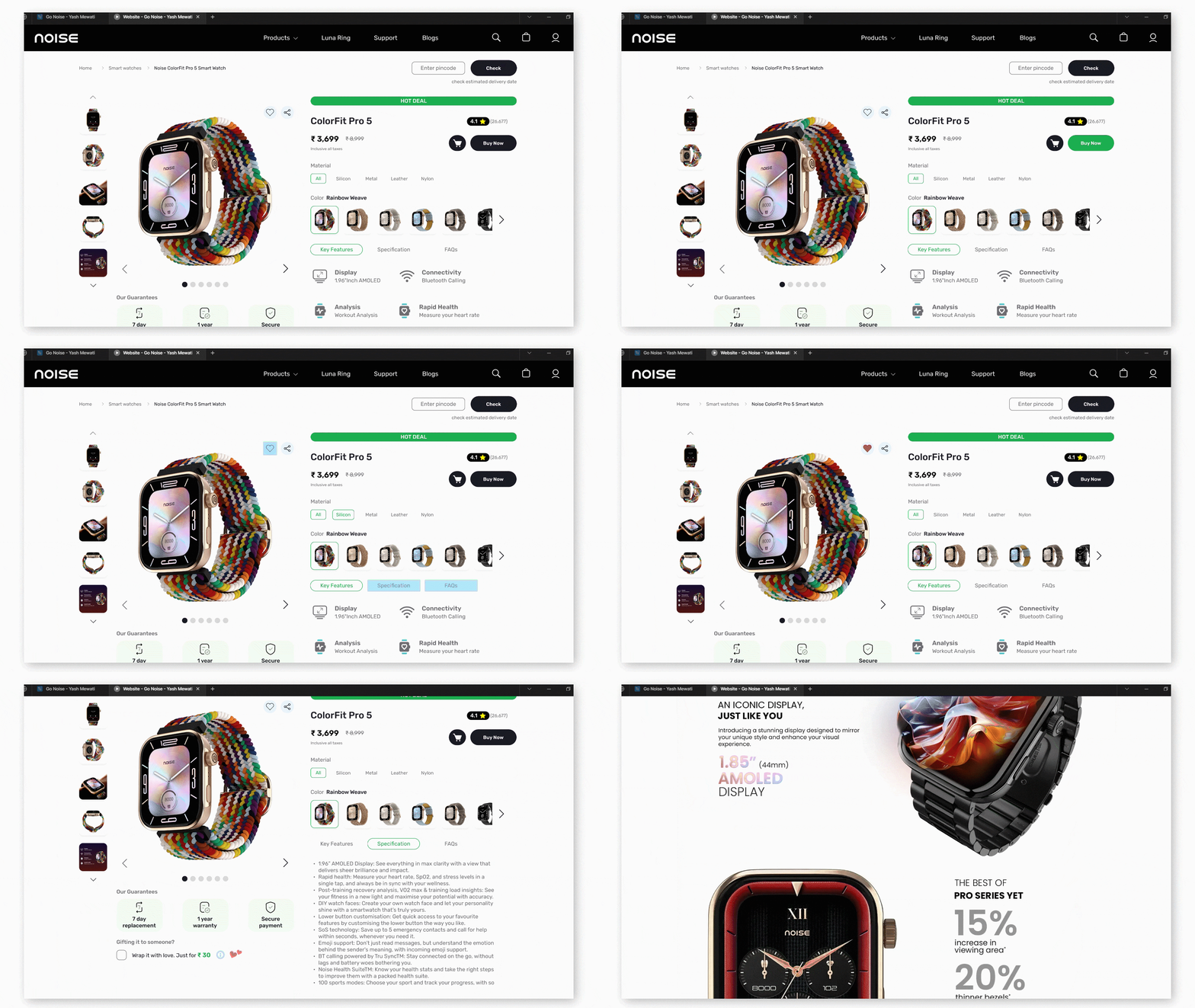
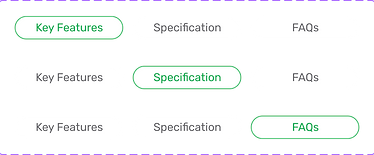
Key feature menu: Presenting a menu showcasing the key features of the product for quick reference.
-
Add to cart: Allowing users to add items to their cart directly from the product detail page.
-
Heart icon to add to favorites (without login): Offering the option to add products to a favorites list even without requiring users to log in.
-
Highlighting borders: Utilizing border highlighting to draw attention to important sections or elements on the page.
-
Highlighting reviews and ratings: Emphasizing user reviews and ratings to assist shoppers in making informed decisions.
-
Share icon: Including a share icon for users to easily share the product with others via social media or messaging platforms.
-
Better deals ads tag: Displaying tags or banners indicating special offers or deals to attract users' attention.
-
Menu for key features, specifications, and FAQs: Organizing information into menus for easy access to key details such as product features, specifications, and FAQS.
Product Collection Page:
-
Dedicated product search box: Incorporating a separate search box to facilitate quick and efficient product searches within the collection.
-
"Buy Now" button: Offering a direct and immediate purchase option for users who wish to bypass the traditional add-to-cart process.
-
"Add to Cart" button: Providing a straightforward means for users to add desired items to their shopping cart for later purchase.
-
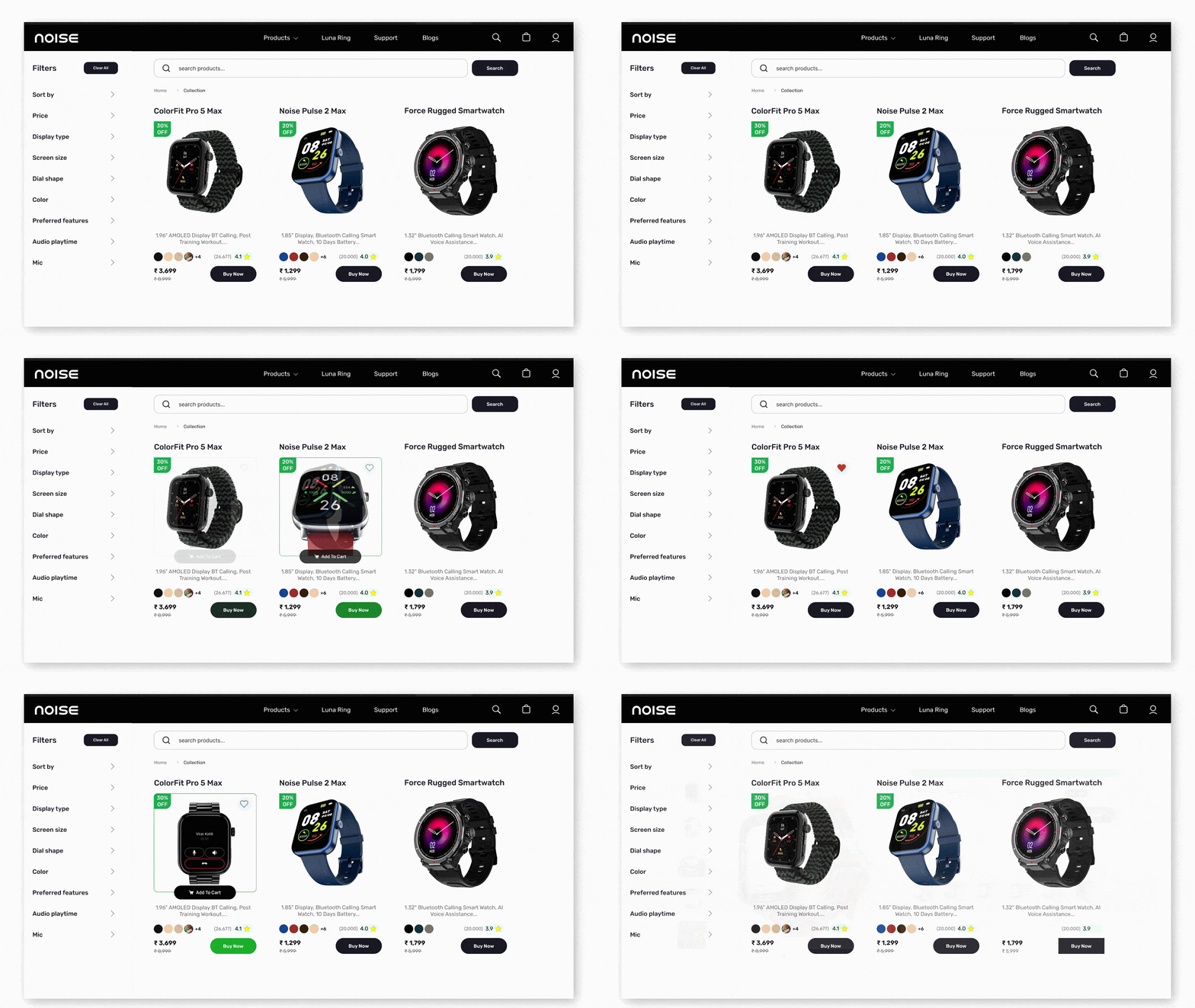
Hover effect: Implementing interactive hover effects to enhance user engagement and provide visual feedback when interacting with product thumbnails or cards.
-
Favorite icon: Allowing users to mark products as favorites for easy access or future consideration.
-
Dynamic image change on hover: Enabling product images to change dynamically when hovered over, providing users with alternate views or additional product details.
-
Discount offer tag: Clearly indicating products that are on sale or have special discounts with visible tags or labels, helping users identify potential savings opportunities.
Design Solutions
I've implemented a range of enhancements to Noise website, addressing missing features and ensuring responsiveness across various devices. This includes the addition of intuitive 'Add to Cart' and 'Buy Now' buttons, along with engaging hover animations, all aimed at elevating the overall interaction design of our platform.
Product Collection Page Interaction
Product Detail Page Interaction
Hover Zoom Effect Interaction Deign
Responsive Design


Components
I created interactive components in Figma, including hover effects on product images, button animations, and click interactions. Below, you can see images of these components in action.






Conclusion
The enhancements and interactive elements I've implemented in Figma significantly improve the user experience on the website. By incorporating scroll animations, hover effects, and engaging interaction components, users are drawn into a more immersive and intuitive shopping journey. These improvements not only make the site more visually appealing but also facilitate easier navigation and product discovery, ultimately driving higher engagement and conversion rates. Please explore the prototypes and interaction components through to see these enhancements in action.